✓ Over 75% of parents believe educational technology enhances their child's learning.
✓ Personalized learning paths are a key benefit of modern educational software.
✓ Age-appropriateness and learning objectives are crucial considerations.
✓ Many platforms offer free trials, allowing for risk-free evaluation.
How It Works
1
Assess Your Child's Needs & Interests
Before diving into options, identify your child's learning style, academic strengths, and areas needing support. Consider their personal interests to find software that genuinely engages them.
2
Research & Compare Options
Explore reputable educational software providers, read reviews, and compare features, pricing models, and educational philosophies. Look for platforms aligned with your family's values and learning goals.
3
Utilize Free Trials & Demos
Many top educational software programs offer free trials or demo versions. This allows you and your child to test the software firsthand, ensuring it's a good fit before making a purchase commitment.
4
Make an Informed Purchase
Once you've evaluated the options and found the best match, proceed with the purchase. Ensure you understand the subscription terms, device compatibility, and ongoing support available.
Understanding the Landscape: Why Educational Software Matters
Photo: Ryan Delfin / Pexels
In today's rapidly evolving digital world, educational software has transformed from a niche product into an indispensable tool for children's learning and development. The reasons for its burgeoning importance are multifaceted, ranging from supplementing traditional schooling to offering personalized learning experiences that cater to individual paces and styles. For parents looking to purchase educational software for kids, understanding this landscape is the first crucial step. Modern educational software is far more than just digital flashcards; it encompasses interactive games, comprehensive curricula, virtual labs, coding platforms, and creative suites designed to foster critical thinking, problem-solving, and digital literacy. These tools can bridge learning gaps, challenge advanced learners, and make complex subjects accessible and engaging. For instance, a child struggling with math might find a gamified algebra program more approachable than a textbook, while a budding scientist could explore virtual dissections or build digital circuits. The beauty of these platforms lies in their adaptability. Many programs utilize adaptive learning algorithms that adjust the difficulty and content based on a child's performance, ensuring they are always challenged but never overwhelmed. This personalized approach is something traditional classroom settings often struggle to provide consistently, making educational software a powerful supplement. Furthermore, the accessibility of educational software means learning can happen anywhere, anytime. Whether on a long car ride, during a rainy afternoon, or as part of a structured homeschooling curriculum, children can engage with educational content on tablets, computers, or smartphones. This flexibility empowers families to integrate learning seamlessly into their daily lives, turning downtime into productive educational opportunities. When you decide to purchase educational software for kids, you're not just buying an app; you're investing in a dynamic learning environment that can adapt to your child's growth and evolving needs. It's about providing tools that cultivate a love for learning, encouraging exploration, and building foundational skills crucial for future academic and professional success. The sheer variety available means there’s something for every age, every subject, and every learning style, making the initial exploration phase both exciting and essential. For more insights into how technology is shaping learning, explore resources on modern educational trends.
Key Considerations Before You Purchase Educational Software for Kids
Photo: Atlantic Ambience / Pexels
Navigating the vast market of educational software can be daunting. To ensure you make the best decision when you purchase educational software for kids, several key factors warrant careful consideration. The first and perhaps most critical aspect is **age appropriateness and developmental stage**. Software designed for a 5-year-old will be vastly different from that intended for a 12-year-old. Content, interface, complexity, and even the type of feedback provided must align with your child's cognitive and emotional development. Review age recommendations carefully, but also consider your child's individual maturity. A precocious 8-year-old might handle software for 10-year-olds, while another 8-year-old might benefit from something simpler. Next, evaluate the **educational objectives and curriculum alignment**. What specific skills or subjects do you want your child to learn or improve? Are you looking for math practice, reading comprehension, coding fundamentals, or creative arts? Many reputable educational software programs align with national or state educational standards (e.g., Common Core in the US), which can be a significant advantage if you're supplementing school learning or homeschooling. Look for clear learning paths, progress tracking, and assessment tools within the software. **Engagement and interactivity** are paramount. Children learn best when they are actively involved and entertained. Look for software that uses gamification, interactive elements, storytelling, and rewards to keep children motivated. A well-designed user interface (UI) and intuitive user experience (UX) are also crucial; if the software is frustrating to use, your child won't stick with it. Consider the **pedagogical approach**. Does the software encourage rote memorization, or does it foster critical thinking, problem-solving, and creativity? Look for programs that promote active learning, exploration, and understanding rather than just passive consumption of information. Some software employs constructivist approaches, allowing children to build knowledge through discovery, while others might be more direct instruction-based. **Safety and privacy** cannot be overlooked. Ensure the software is COPPA compliant (Children's Online Privacy Protection Act) if it collects any personal information. Check for in-app purchases, advertisements, and external links that might expose your child to inappropriate content or unexpected costs. Parental controls, screen time limits, and data security policies should be transparent and robust. Finally, consider **technical requirements and compatibility**. Will the software run on your existing devices (PC, Mac, iOS, Android)? Is an internet connection always required? What are the storage requirements? These practical considerations can impact the usability and long-term value of your purchase. By thoroughly evaluating these aspects, you can confidently purchase educational software for kids that truly meets their needs and your expectations.
Top Features and Types of Educational Software to Look For
Photo: Alena Darmel / Pexels
When you decide to purchase educational software for kids, understanding the diverse features and categories available can significantly refine your search. The market is rich with innovative solutions, each designed to target specific learning outcomes or styles. Let's break down some of the most impactful features and popular types of educational software. **Adaptive Learning Paths** are a standout feature in premium educational software. These systems use AI to analyze a child's performance, identify strengths and weaknesses, and then adjust the curriculum and difficulty in real-time. This ensures the child is always working at their optimal learning zone, preventing boredom from easy tasks and frustration from overly difficult ones. This personalized experience is a huge advantage over one-size-fits-all approaches. **Gamification Elements** are crucial for engagement. Look for software that incorporates points, badges, leaderboards, virtual rewards, and compelling narratives. These elements transform learning into an enjoyable challenge, motivating children to continue progressing through lessons and activities. The best gamified software seamlessly integrates learning objectives into the game mechanics, so children learn almost without realizing it. **Comprehensive Progress Tracking and Reporting** are invaluable for parents and educators. This feature allows you to monitor your child's achievements, identify areas where they might need additional support, and celebrate their successes. Detailed reports can show time spent, skills mastered, and specific concepts that posed challenges. This data-driven insight helps parents make informed decisions about their child's learning journey. **Multi-sensory Engagement** is another key feature. Software that incorporates visual, auditory, and interactive (kinesthetic) elements caters to different learning styles and helps solidify understanding. This could involve animated lessons, audio instructions, interactive drag-and-drop activities, or virtual simulations. When considering types of software, **Core Subject Tutors** (Math, Reading, Science, Language Arts) are perennially popular. These often provide structured lessons, practice problems, and quizzes. Examples include programs focusing on phonics, early literacy, arithmetic facts, or even advanced calculus. Then there are **Creative Software Suites** for art, music, and digital design. These empower children to express themselves, develop fine motor skills, and understand principles of design and composition. Think digital drawing apps, music composition tools, or video editing for kids. **Coding and STEM Platforms** are increasingly vital. These introduce children to computational thinking, problem-solving, and the fundamentals of programming through block-based coding, game creation, or robotics simulations. For global citizens, **Language Learning Apps** offer immersive experiences, often using games, interactive dialogues, and speech recognition to teach new languages. Finally, **Virtual Labs and Simulations** provide safe environments for children to conduct experiments, explore scientific principles, and understand complex systems without real-world constraints. When you purchase educational software for kids, prioritize features that align with your child's needs and the learning outcomes you desire. For further reading on educational technology, check out innovations in ed-tech.
Mistakes to Avoid When You Purchase Educational Software for Kids
Photo: RDNE Stock project / Pexels
Making an informed decision when you purchase educational software for kids can significantly impact its effectiveness and your child's engagement. However, several common pitfalls can lead to wasted money and frustrated learners. Being aware of these mistakes can help you navigate the selection process more successfully.
**1. Ignoring Your Child's Input:** One of the biggest mistakes is purchasing software without consulting your child or observing their reactions during trials. Even the most highly-rated software might not resonate with your child's personality or learning style. If they find it boring, too difficult, or not visually appealing, they simply won't use it. Involve them in the decision-making process, let them try demos, and pay attention to their genuine interest.
**2. Over-relying on Brand Names or Marketing Hype:** A popular brand doesn't automatically mean it's the best fit for your child. Similarly, flashy marketing can be misleading. Dig deeper than the advertisements; read independent reviews, check educational blogs, and look for detailed feature breakdowns. Focus on the actual educational content and pedagogical approach rather than just the packaging.
**3. Neglecting Free Trials and Demos:** Many reputable educational software providers offer free trials, freemium versions, or interactive demos. Failing to utilize these is a missed opportunity. A trial allows both you and your child to experience the software firsthand, test its usability, assess engagement levels, and verify compatibility before committing to a purchase. It's the best way to avoid buyer's remorse.
**4. Not Checking for Hidden Costs or Subscription Models:** Be vigilant about pricing structures. Some software has a one-time purchase fee, while others operate on a subscription model (monthly, annual). Additionally, look out for in-app purchases, premium content locked behind paywalls, or additional fees for multiple users or devices. Understand the total cost of ownership before you commit.
**5. Ignoring Device Compatibility and Technical Requirements:** Nothing is more frustrating than buying software only to find it won't run on your device or requires constant internet access when you often have limited connectivity. Always check the minimum system requirements, supported operating systems (Windows, macOS, iOS, Android), and whether an internet connection is mandatory for full functionality.
**6. Prioritizing Entertainment Over Educational Value:** While engagement is crucial, the primary goal is education. Some apps are highly entertaining but lack substantial educational content or clear learning objectives. Strive for a balance where the entertainment serves as a vehicle for effective learning, rather than being the sole focus.
**7. Overlooking Parental Controls and Safety Features:** In the digital age, child safety is paramount. Ensure the software has robust parental controls, is free from inappropriate ads, and adheres to privacy regulations like COPPA. Understand how your child's data is handled and what measures are in place to protect them online.
By avoiding these common mistakes, you can make a more confident and effective decision when you purchase educational software for kids, leading to a more positive and productive learning experience for your child.
Comparison
Feature
ABCmouse (Ages 2-8)
IXL (K-12)
Prodigy (Grades 1-8)
Core Subjects Covered
Reading, Math, Art, Science
Math, ELA, Science, Social Studies
Math, ELA
Learning Style
Guided curriculum, interactive activities
Practice, skill-based, adaptive
Gamified, adaptive math RPG
Progress Tracking
Detailed parent dashboard
Comprehensive analytics, skill plans
Parent dashboard, student reports
Free Version/Trial
30-day free trial
Limited free practice daily
Full game access (premium features extra)
Parental Controls
✓
✓
✓
Offline Access
✗
✗
✗
Cost (Approx. Monthly)
$12.99
$19.95 (single subject)
Free (premium from $8.99)
What Readers Say
★★★★★
"Deciding to purchase educational software for kids was overwhelming, but this guide helped me narrow it down. We chose ABCmouse for our preschooler, and she absolutely loves the interactive lessons. It's made learning her letters so much fun!"
Sarah M. · Austin, TX
★★★★★
"As a homeschooling parent, finding quality educational software is crucial. We invested in IXL for math and language arts, and the adaptive learning paths have been a game-changer. My kids are challenged appropriately and enjoy the instant feedback."
David L. · Seattle, WA
★★★★★
"My son was struggling with math, but after we decided to purchase educational software for kids, specifically Prodigy, his confidence soared. He went from dreading math to asking to play 'the math game' daily, and his grades have noticeably improved."
Jessica R. · Miami, FL
★★★★★
"We tried a few different platforms before deciding to purchase educational software for kids that fit our budget and needs. While some options were great, we found one that had a good balance of educational content and engaging activities, though the user interface could be a bit more intuitive."
Mark T. · Denver, CO
★★★★★
"Our family travels frequently, so having access to quality educational software is a must. We purchased a subscription to a language learning app for our daughter, and she's already picking up Spanish phrases, making our trips even more enriching."
Emily P. · Chicago, IL
Frequently Asked Questions
What age is best to start using educational software for kids?
Children can start benefiting from age-appropriate educational software as early as 2-3 years old, focusing on foundational skills like letter recognition, shapes, and basic counting. The key is to choose software specifically designed for toddlers, which emphasizes interactive play and limits screen time, ensuring it complements rather than replaces other forms of learning and interaction.
Is educational software a substitute for traditional schooling?
No, educational software is generally not a substitute for traditional schooling or direct human interaction in learning. It serves as a powerful supplement, offering personalized practice, enrichment, and alternative learning styles. While it can be a core component of homeschooling, it's most effective when integrated with other educational methods, parental guidance, and social learning experiences.
How do I choose the right educational software for my child's learning style?
To choose the right software, first identify your child's primary learning style: visual (prefers pictures, videos), auditory (prefers listening), or kinesthetic (prefers hands-on, interactive). Then, look for software that aligns with these preferences. Many excellent programs incorporate multi-sensory elements, which can benefit all learners by engaging multiple senses simultaneously for deeper understanding.
How much should I expect to spend on educational software for kids?
The cost of educational software varies widely. Free options exist, often with in-app purchases or limited features. Subscription models typically range from $5 to $20 per month per child, or $50 to $200 annually. One-time purchases can range from $10 for a single app to over $100 for comprehensive programs. Consider the value, features, and your budget when making a decision.
How does educational software compare to educational apps on tablets?
The terms are often used interchangeably, but 'educational software' can refer to broader programs for computers, while 'educational apps' typically refer to mobile applications for tablets and smartphones. Functionally, many top educational platforms offer both web-based software and dedicated apps, providing a consistent learning experience across devices. The choice often comes down to device preference and feature set.
Who benefits most from using educational software?
Educational software benefits a wide range of children: those needing extra practice in specific subjects, advanced learners seeking enrichment, children with diverse learning needs who benefit from personalized pacing, and homeschoolers requiring structured curricula. It's particularly useful for fostering independent learning and developing digital literacy skills essential in today's world.
What are the privacy risks associated with educational software?
Privacy risks can include the collection of personal data, student performance data, and potential exposure to advertising or external links. To mitigate these, choose software providers that are COPPA (Children's Online Privacy Protection Act) compliant, have clear privacy policies, offer robust parental controls, and avoid unnecessary data collection. Always review the privacy policy before use.
What are future trends in educational software for kids?
Future trends include increased integration of Artificial Intelligence for hyper-personalized learning paths and adaptive assessments, widespread adoption of Augmented Reality (AR) and Virtual Reality (VR) for immersive learning experiences, and greater emphasis on coding, computational thinking, and interdisciplinary STEM education. Expect more collaborative tools and AI-driven tutors as well.
Empower your child's learning journey by making an informed decision. Take the next step to purchase educational software for kids that aligns perfectly with their needs and your educational goals. Explore free trials today and unlock a world of engaging and effective learning experiences!

 Photo: Ryan Delfin / Pexels
 Photo: Atlantic Ambience / Pexels
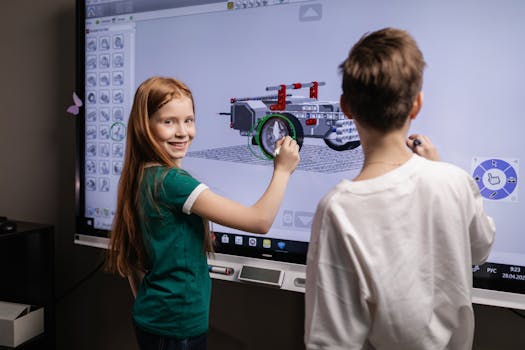 Photo: Alena Darmel / Pexels
 Photo: RDNE Stock project / Pexels